 CineVault
Your film archive, on its own shelf.
CineVault puts the films and series on your computer on a real shelf in Blu-ray, DVD, VCD and VHS cases. Press play: the case opens, the disc goes into the player, then the film starts. No account, no cloud: everything stays on your computer.
- No account
- No cloud
- One-time payment
- Free up to 250 titles
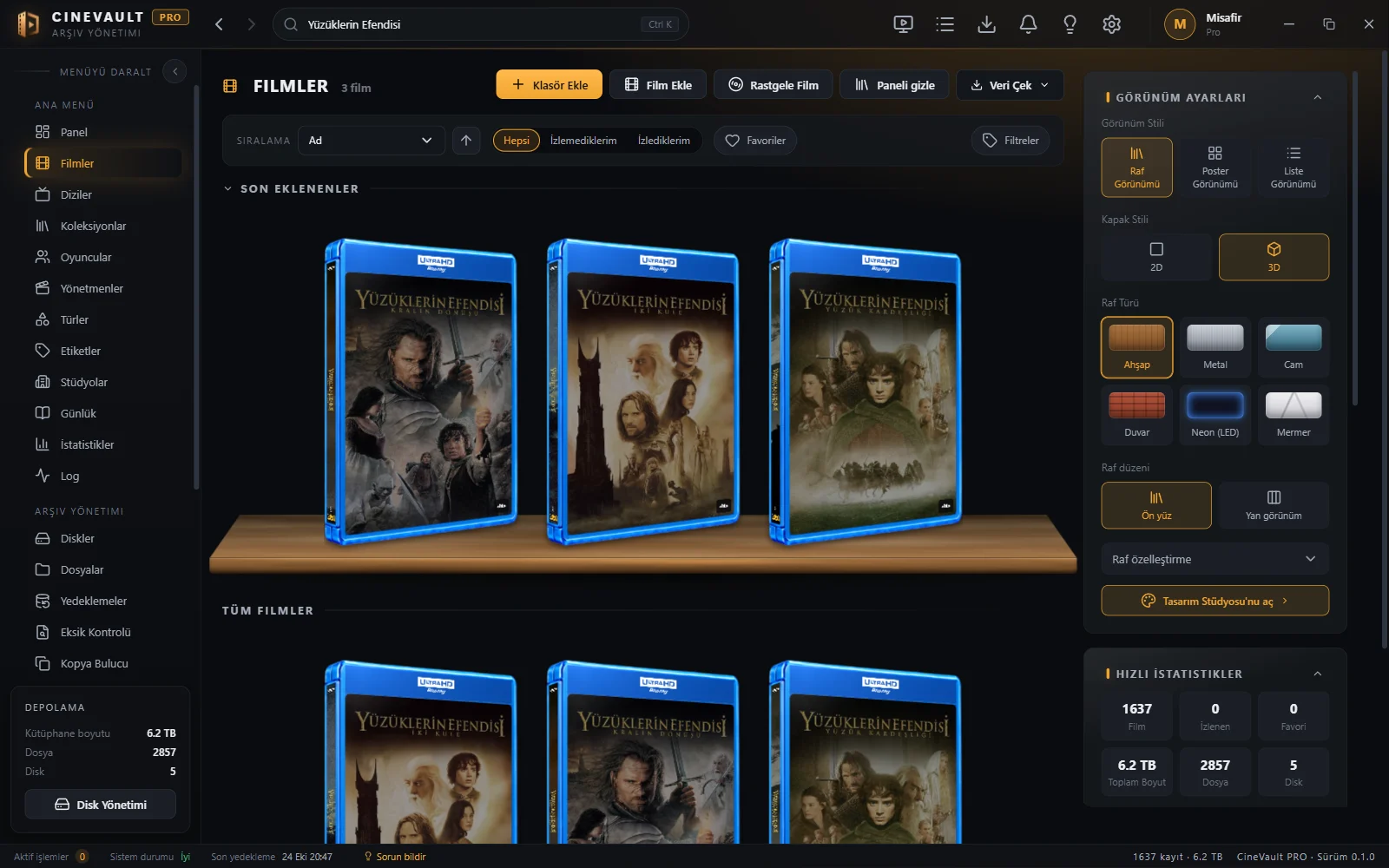
Windows 10 and 11. The screenshots come from a real library of more than 1,600 films.
- 1,600+film library, tested
- 5case types: Blu-ray, DVD, VCD, VHS, digital
- 72icon places, all changeable
- 0accounts, cloud, tracking
Like a real shelf.
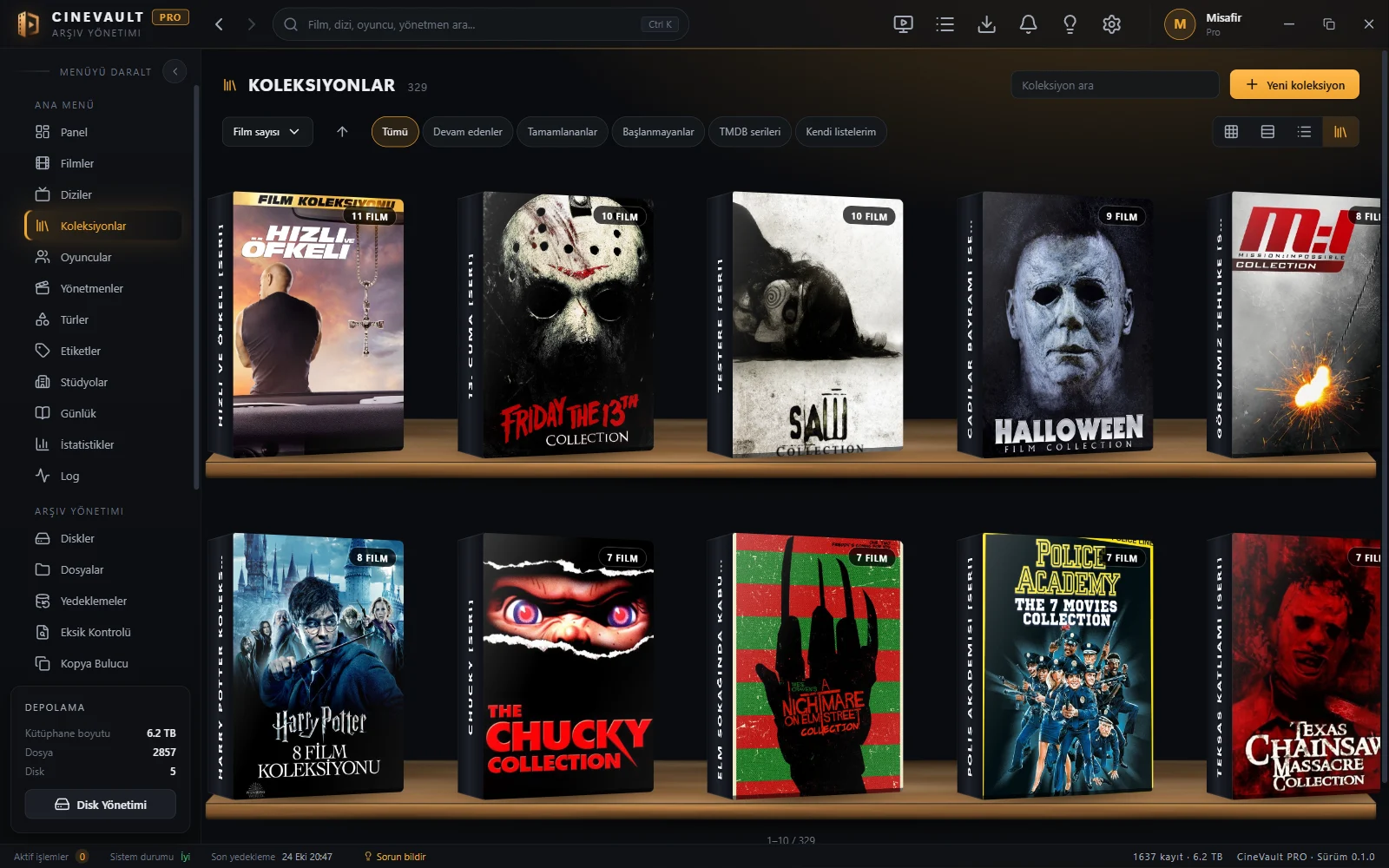
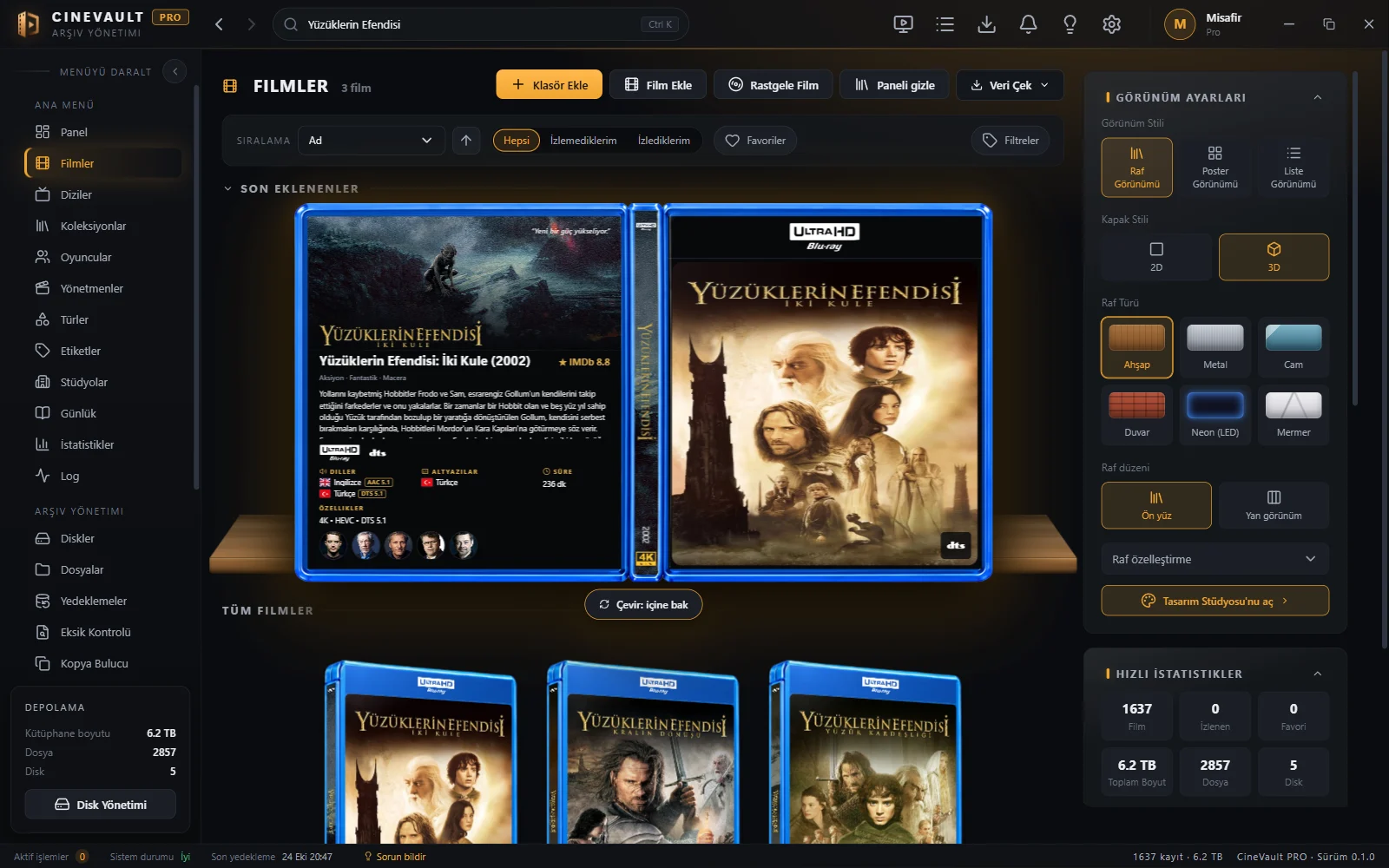
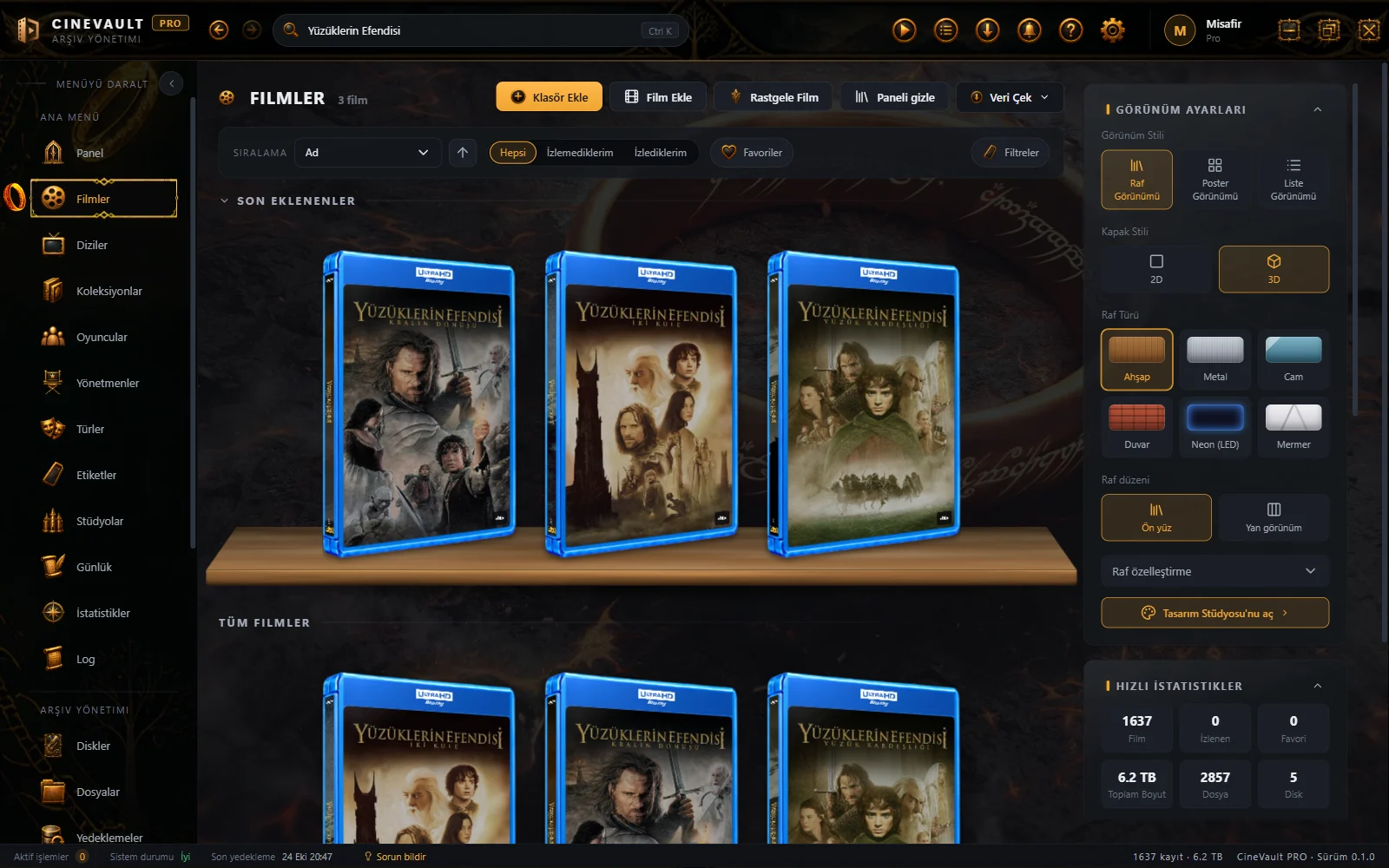
Every copy sits in its own case. It tells from the file name whether it is a Blu-ray, a DVD or a VHS, and lines it up on a wood, metal, glass, neon or marble shelf. Move the pointer over a case and it opens: back and spine show.
- 3D cases with front, back and spine
- Wood, metal, glass, neon and marble shelves
- Smooth scrolling through thousands of titles
- Badges: resolution, HDR, audio, subtitles
Everything about a film.
The story, cast, director, awards, similar titles and the technical details of the file on one page. Several versions of one film (Blu-ray, 4K, director’s cut) sit side by side; scene notes and your journal are here too.
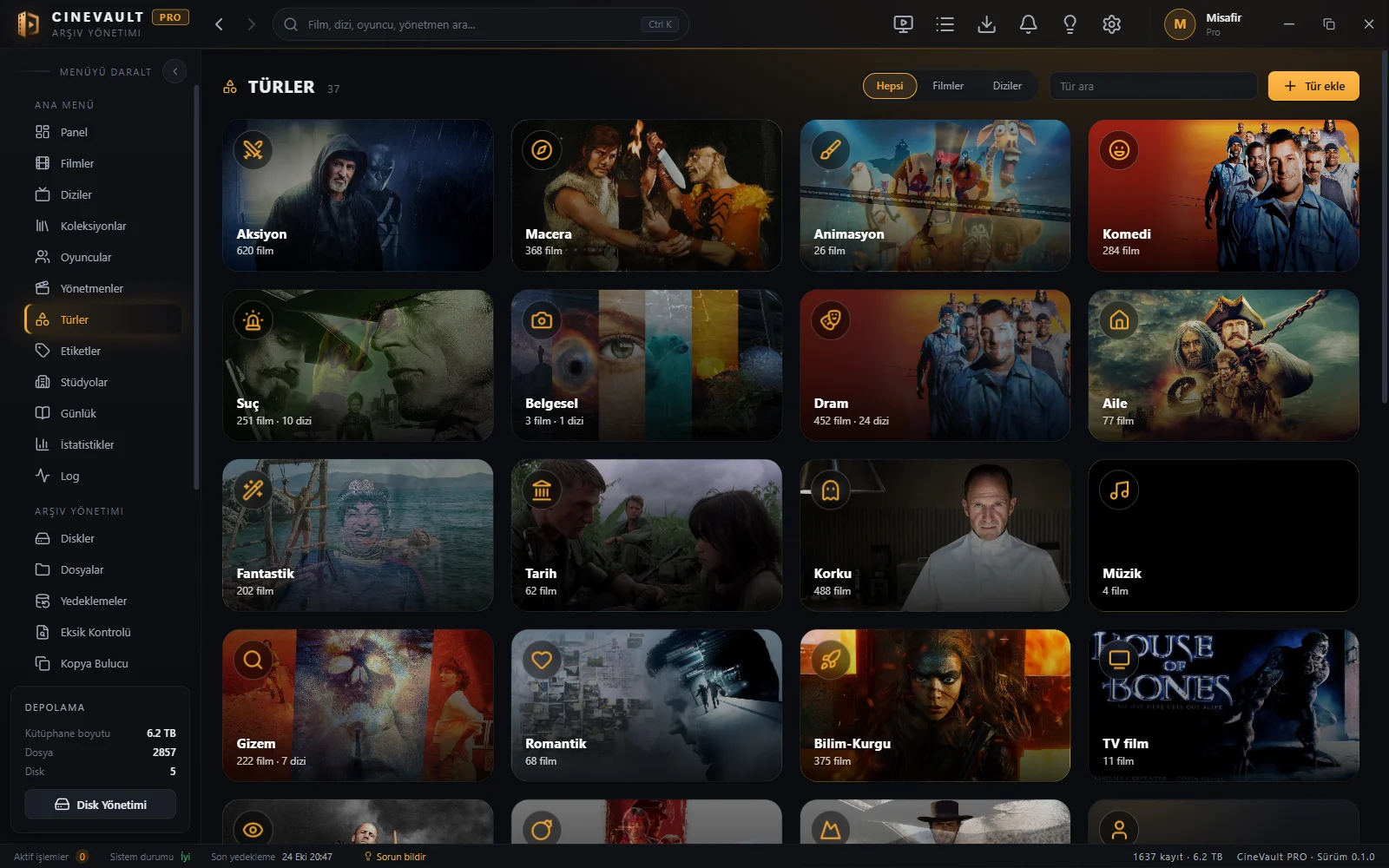
- Pages for actors, directors and studios
- Resolution, HDR, audio and subtitle details
- Many versions, one film
- Scene notes, journal, your own rating

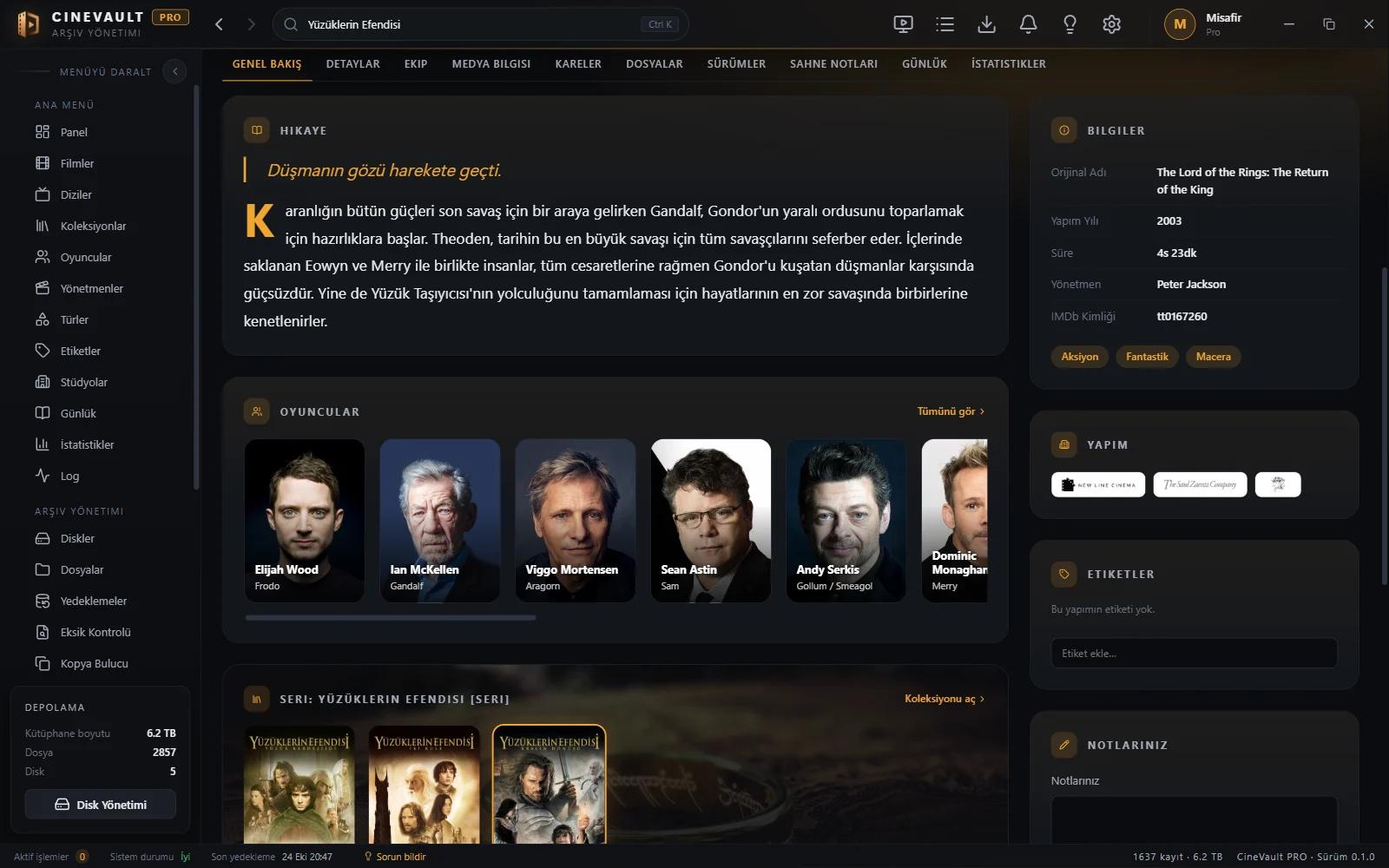
Start it like putting in a disc.
Press play: the case opens, the disc goes into the player or the tape into the video. Then the built-in player opens: AC3, E-AC3, TrueHD and DTS sound, subtitle choice and resume where you stopped.
- VCD, DVD and VHS opening animations
- AC3, E-AC3, TrueHD and DTS sound
- Subtitle choice, resume where you stopped
- Scene notes
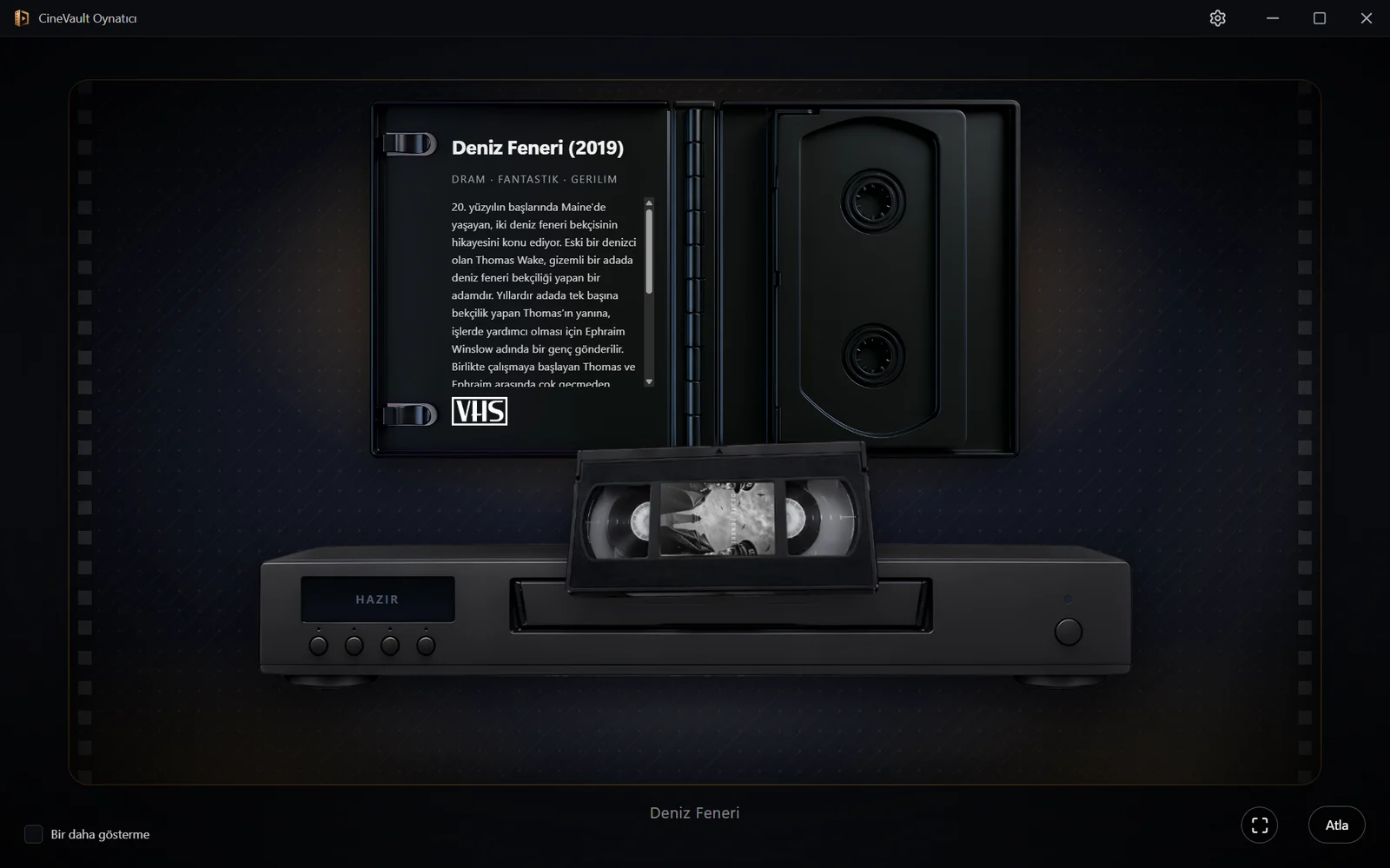
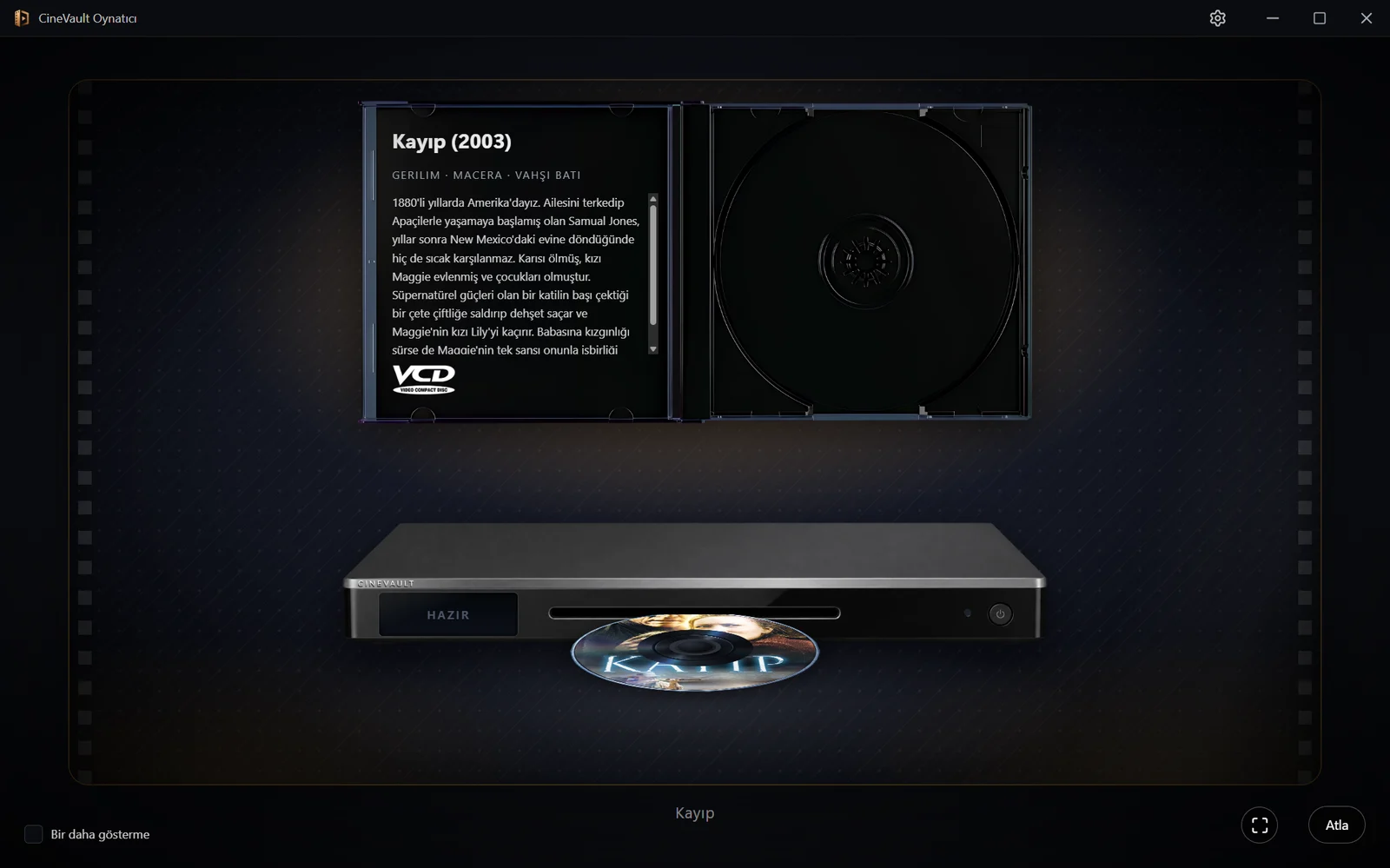
Your archive, your design.
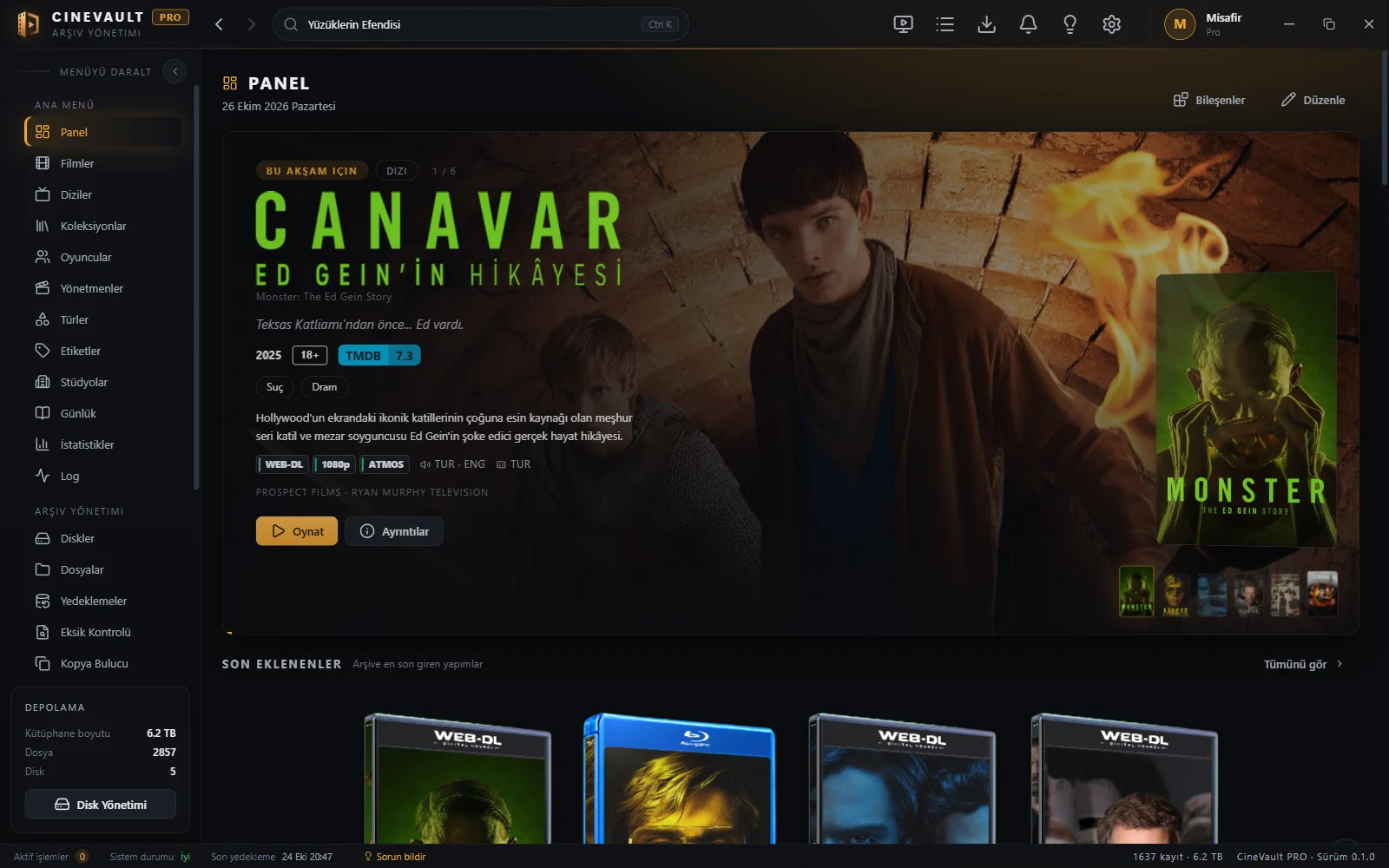
Pick a ready-made theme or make your own: colours, backgrounds, all 72 icons, the menu and the top bar, the pointer, moving effects. Share a theme you made as one file.
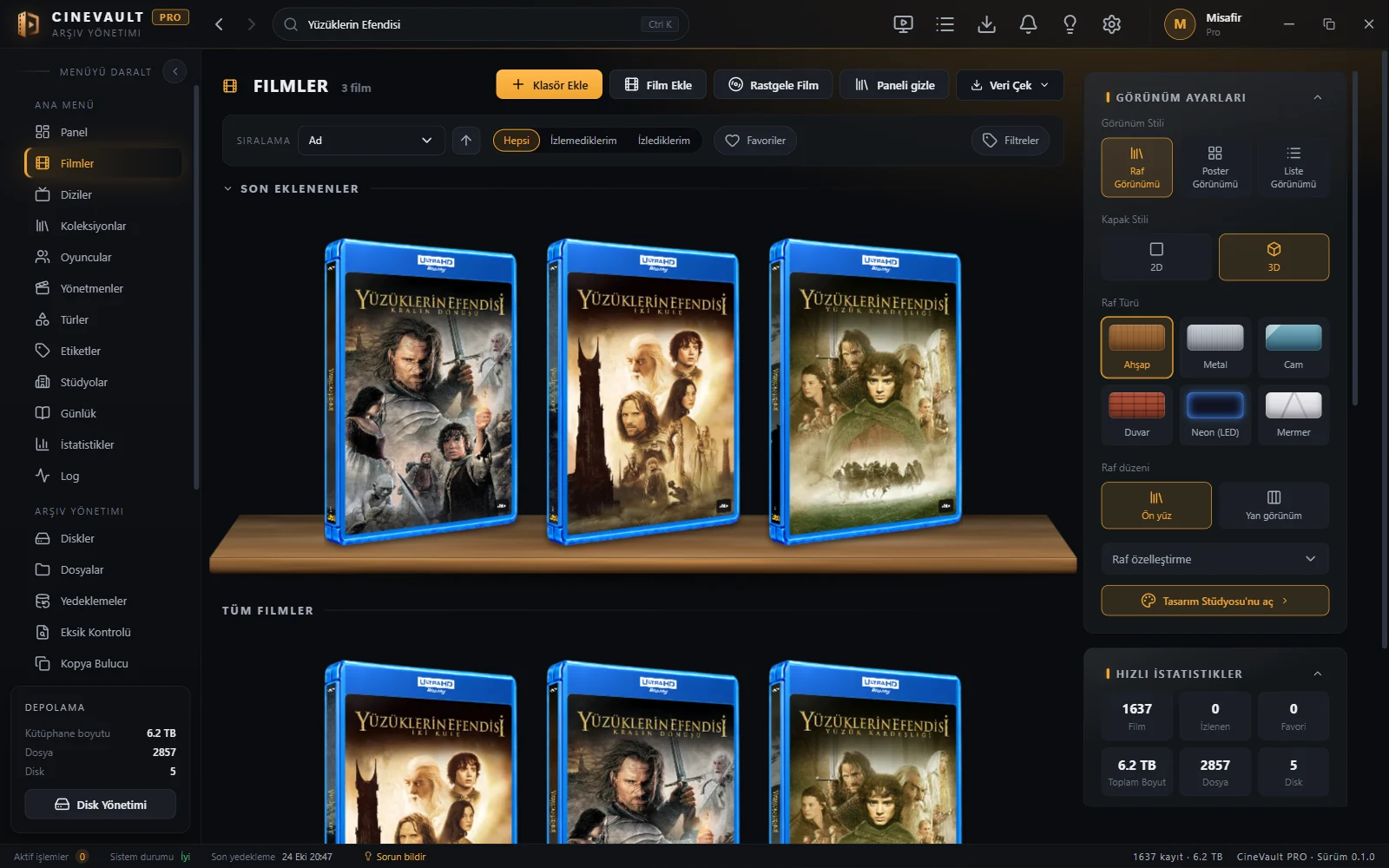


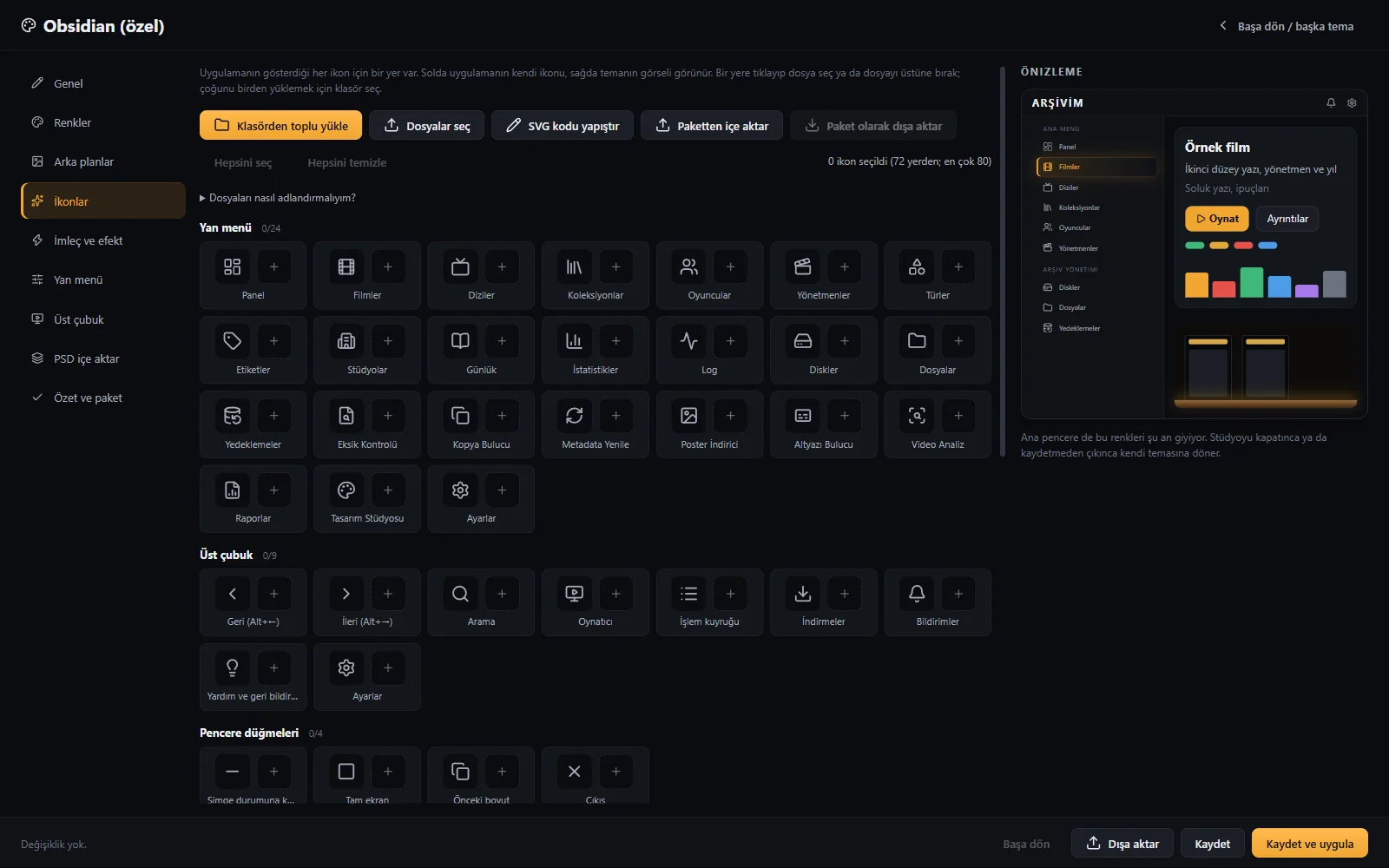
- Colours, backgrounds, icons, menu and effects, all of them
- Dark and light ready-made themes
- Themes shared as one file
- You see your changes at once
Archive tools
Everything that helps as the collection grows.
Missing and duplicate finder
Finds titles whose file is gone or that were added twice.
Backups
Back up your archive and restore it whenever you like.
Disk tracking
Which film is on which disk; knows removable disks.
Subtitle finder
Finds the subtitles of a film and puts them next to the file.
Video analysis
Shows resolution, codec, HDR and audio channels.
MKV tools
Extract, add and edit tracks with MKVToolNix.
Statistics and reports
How much you watched, which genres, which years.
Journal
Write what you watched, when, and what you thought.
AI assistant
Optional: search with your own key or a model on your computer.
And more
Turkish and English
The interface is in two languages; film information comes in the one you choose.
Posters and details
Posters, cast and awards from TMDB, with your own free key.
Dark and light themes
Six ready-made themes, and as many of your own as you like.
Actor and director pages
See every film of a person in your archive together.
Collections and tags
Series, their order, your own tags.
Fast
Smooth with thousands of titles; search answers at once.
You own it
One-time payment. All updates within this major version are free.
Easy to set up
One installer, point it at your folder, done.
Price
Pro
- Unlimited titles
- Every feature
- Priority support
- All updates within this major version
A digital product: no refunds are given once the licence key has been delivered. That is why you should try the free edition first.
Free or Pro?
| Free | Pro | |
|---|---|---|
| Every feature | ||
| Time limit | None | None |
| Number of titles | Up to 250 | Unlimited |
| Your own themes and icons | ||
| Updates within this major version | ||
| Priority support |
Frequently asked
Do I need the internet?
Not to use your archive. It connects when it first fetches film information and posters, for the update check and for translation.
Why do I need a TMDB key?
Film information and posters come from TMDB. You get a key free at themoviedb.org and paste it into Settings; the app shows how on first start.
Where does my data go?
Nowhere. Your archive stays on your computer. You may turn on the anonymous usage message, which is off by default; nothing from your archive is sent.
On how many computers does my licence work?
One licence is for one person; you can use it on your own computers.
Is there a Mac or Linux version?
For now only Windows 10 and 11.
Can I get a refund?
The licence key is delivered digitally at once, so no refunds are given after delivery. We therefore suggest you try the free edition first; before you buy you can write any question to destek@faer.com.
Does it change my files?
No. It never touches your film files; it only reads them. Things like subtitles or backups are written only when you ask, where you choose.